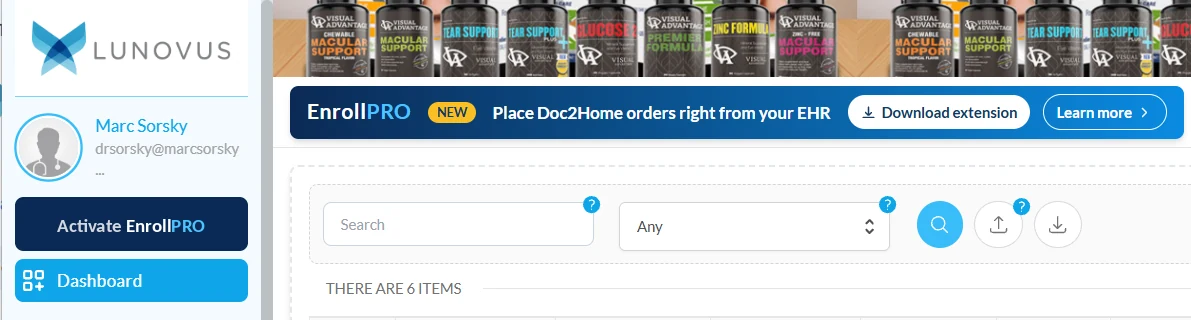
EnrollPROPlace Doc2Home orders right from your EHR.
It does the busywork: finds the doctor’s recommendation in the chart and fills in the patient’s info on the Doc2Home platform. Set-up takes less than a minute.
Free for Doc2Home practicesSet-up takes less than a minute.
About 15 seconds per patient
Get started with EnrollPRO
A free Chrome extension that makes ordering through Doc2Home faster and easier.
What is EnrollPRO?
It does the busywork. No more checking the chart, finding the link and typing it all in.
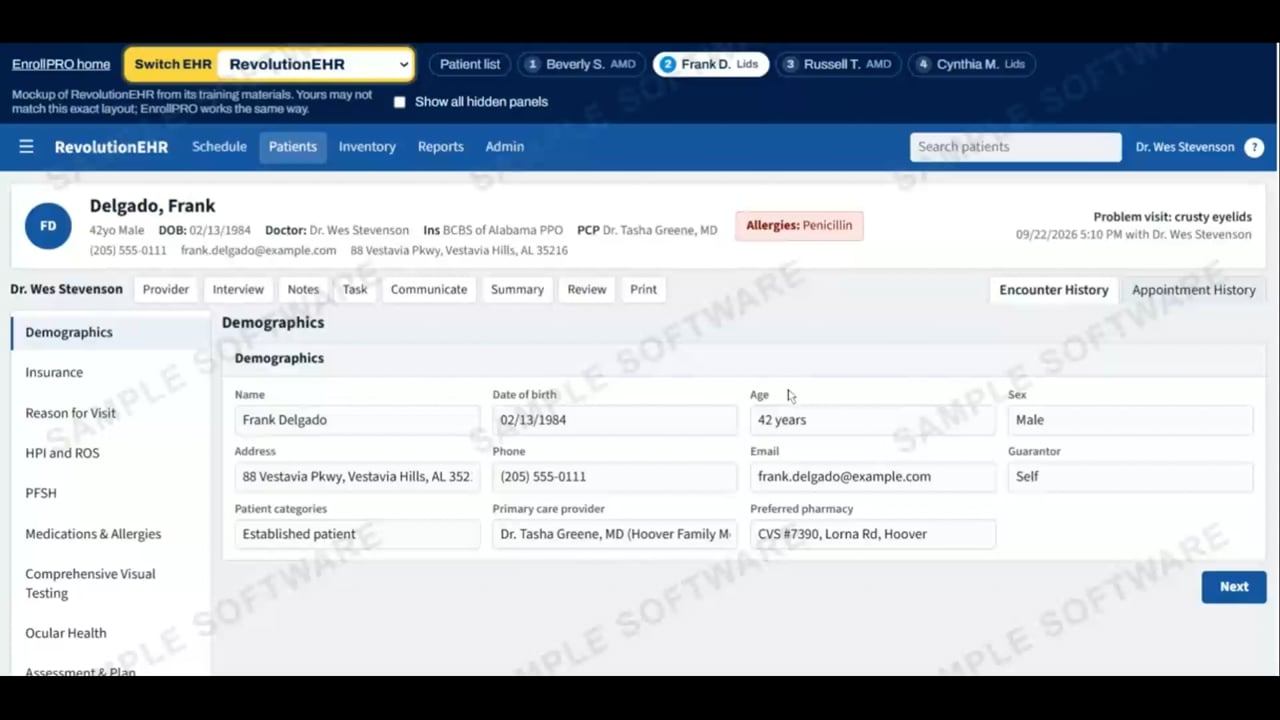
When the doctor recommends a supplement, EnrollPRO reads the patient’s chart.
It fills the enrollment fields on Doc2Home automatically.
Patient pays: tap to pay, send a payment link or enter the card.
Set-up takes less than a minute
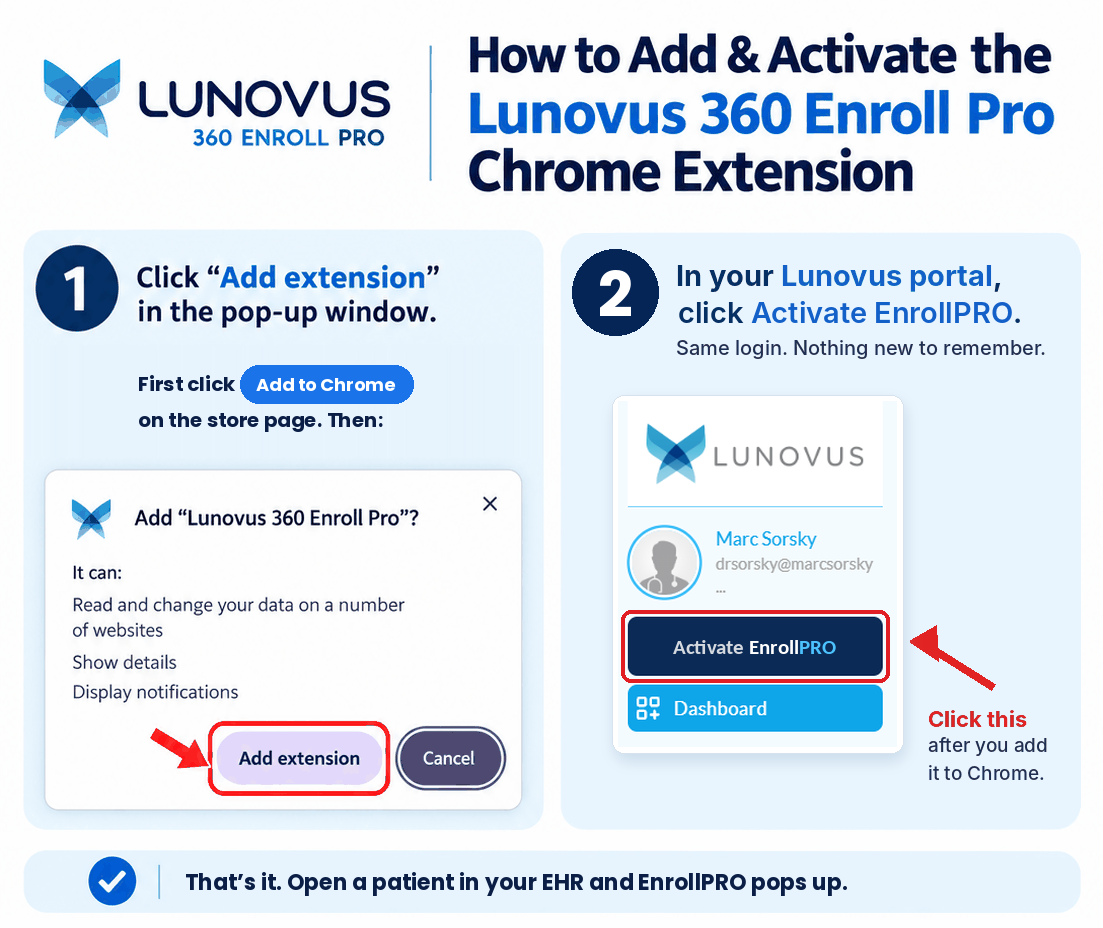
1Log in2Install3Activate
Next: watch it work, then the 3 steps.
Watch it work · a live example
EnrollPRO reads the chart and fills in the order.
That’s it.Now, let’s set up EnrollPRO for your office.
Reads the chart
EnrollPRO reads the chart and checks it against the supplements or lid scrubs you offer.
Recommendation pops up
EnrollPRO recommends the right supplement or lid scrub. Staff clicks Order or Not a fit.
Phone # for verification
EnrollPRO fills in the phone number for verification.
Pick 1 or 3 months
Staff selects a 1 or 3 month supply. The first month can be free if you like.
Confirm details
EnrollPRO pulls the patient’s name, email and address from the chart. Staff just confirms the data.
Take payment
Staff selects one of the three payment options: tap, link or card.
Real time. The patient and chart are samples, not real people.
1
Set up · step 1 of 3
Log in to the Doc2Home platform
1
Log in to the Doc2Home platformYou’ll land on this home screen. Steps 2 and 3 happen here.