The voice track couldn't load. You can still click through with Next.
EnrollPRO Mini, step by step
The same steps as the walkthrough, written out.
Part 1One-time setup
About a minute. Once per computer.
Download EnrollPRO MiniFrom the Downloads menu at the top of this page (choose EnrollPRO Mini for Windows), or the Download EnrollPRO Mini button.
Save the installerThe file is EnrollPRO-production-Setup.exe.
Open the downloadOpen it from Downloads (top right in Chrome or Edge).
If Windows asks…On “Windows protected your PC”, click More info, then Run anyway. Windows shows this for any new app; EnrollPRO Mini is published by Lunovus.
InstallClick Next, then Install, then Finish.
The mini bar appearsAt the bottom of your screen, with the Lunovus wings in your system tray. Click Sign in.
Sign inUse your existing or newly created Doc2Home login.
Setup is finishedEnrollPRO Mini stays signed in on this computer.
Part 2Every patient
About 30 seconds, right alongside the chart.
Open the patient’s chartWhen the doctor recommends a supplement. In your EHR, like you always do.
Copy the phone numberPaste it into the mini bar and click Enroll (Ctrl+C, Ctrl+V).
Name, email, doctorAdd their first and last name and email, choose today’s doctor, click Next.
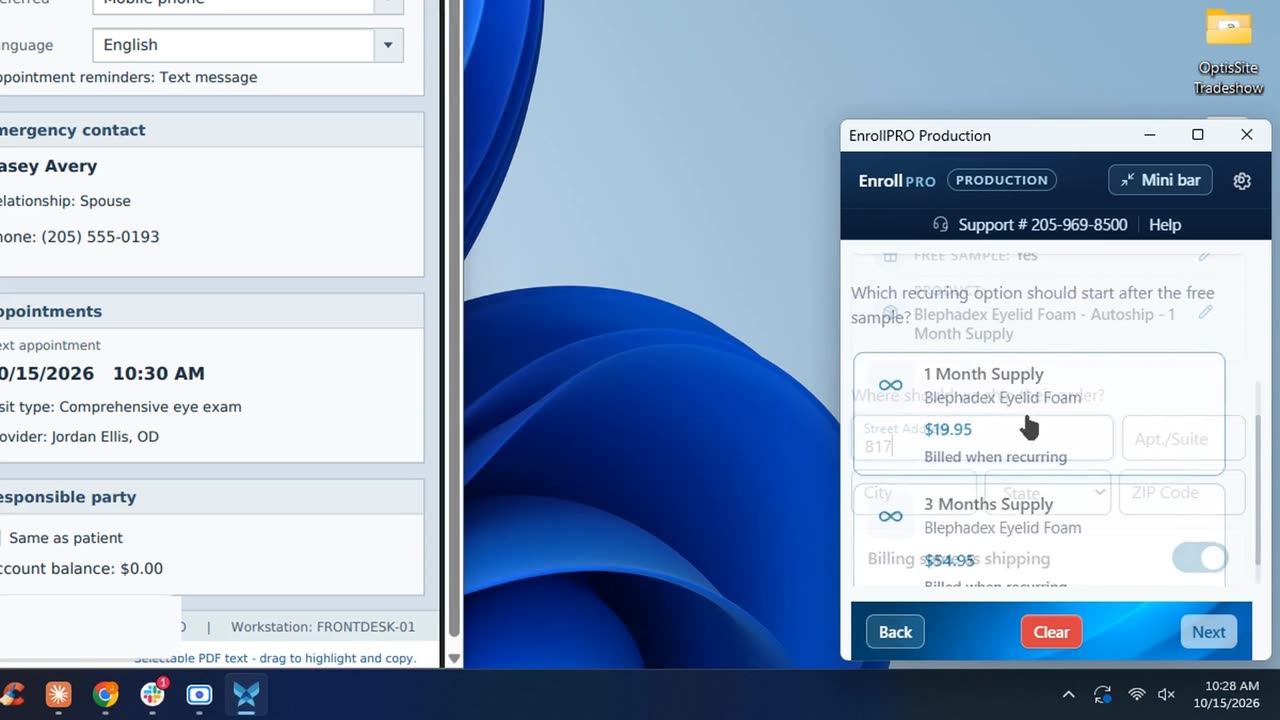
Free sample? Pick the productChoose whether this is a free-sample order, the product the doctor recommended, and the plan that follows the sample.
Shipping addressStart typing the street address and pick it from the list. City, state and ZIP fill in for you.
Review, then choose how they payCard reader, a payment link sent to the patient, or manual card entry. Free samples are card verification only, no charge today.
Using a browser-based EHR? The full EnrollPRO adds automation that reduces manual entry.